Stop Missed Renewals: 6 Steps for Regulatory Change Management

In this context, regulatory change management means one thing: keeping every permit, license, certification, and insurance policy your business holds current, documented, and renewed before it lapses. The fastest way to do that is a centralized compliance hub with automated reminders, secure document storage, role-based ownership, and AI-assisted data extraction. Purpose-built tools like Permitly exist specifically to replace the spreadsheet-and-sticky-note approach that causes most missed renewals.
TL;DR:
- Automated reminders and role-based ownership prevent missed renewals by providing clear timelines and escalation rules for each permit or license.
- Centralizing all permit data with consistent fields and AI-extracted document metadata reduces human error and ensures accurate tracking of expiration and action dates.
- Multi-channel alerts via email, Slack, or task management tools improve visibility and accountability, especially for location-specific permits with differing renewal schedules.
- Quarterly data reviews and a one-time annual audit help maintain data hygiene and avoid drift due to outdated or inconsistent records.
- Transitioning from spreadsheets to a purpose-built compliance hub takes weeks, with initial focus on building the inventory and verifying key dates before automating notifications.
Table of Contents
- What Are the Core Components of a Compliance Tracking System?
- How Do You Move From Spreadsheets to a Centralized System?
- What Automation Patterns Keep Regulatory Updates on Track?
- What Mistakes Cause Missed Renewals, and How Do You Avoid Them?
- Why Permitly Built a Centralized Hub for This Exact Problem
- Get Your Compliance Calendar Under Control
- Sources
What Are the Core Components of a Compliance Tracking System?
An effective system starts with a complete inventory, not a partial one. Every permit, license, certification, and insurance policy needs the same set of fields tracked consistently, or gaps start appearing exactly where you can’t afford them.
At minimum, each record needs:
- Name and type of the credential (business license, fire inspection certificate, liability policy, etc.)
- Issuing agency and jurisdiction (city, county, state, or federal body)
- Expiration date and the lead time required to renew (some permits need several weeks or months of processing)
- Action date, calculated as expiration minus lead time, so the system tells you when to start, not just when you’ll fail
- Cost of renewal and the responsible owner assigned to it
- Location ID, critical for any business operating in more than one jurisdiction
Document storage matters just as much as the data fields. Manually retyping expiration dates off scanned PDFs is where human error creeps in. Optical character recognition and AI extraction tools can pull key metadata automatically from uploaded documents, cutting the manual entry that causes half of all tracking mistakes in the first place.
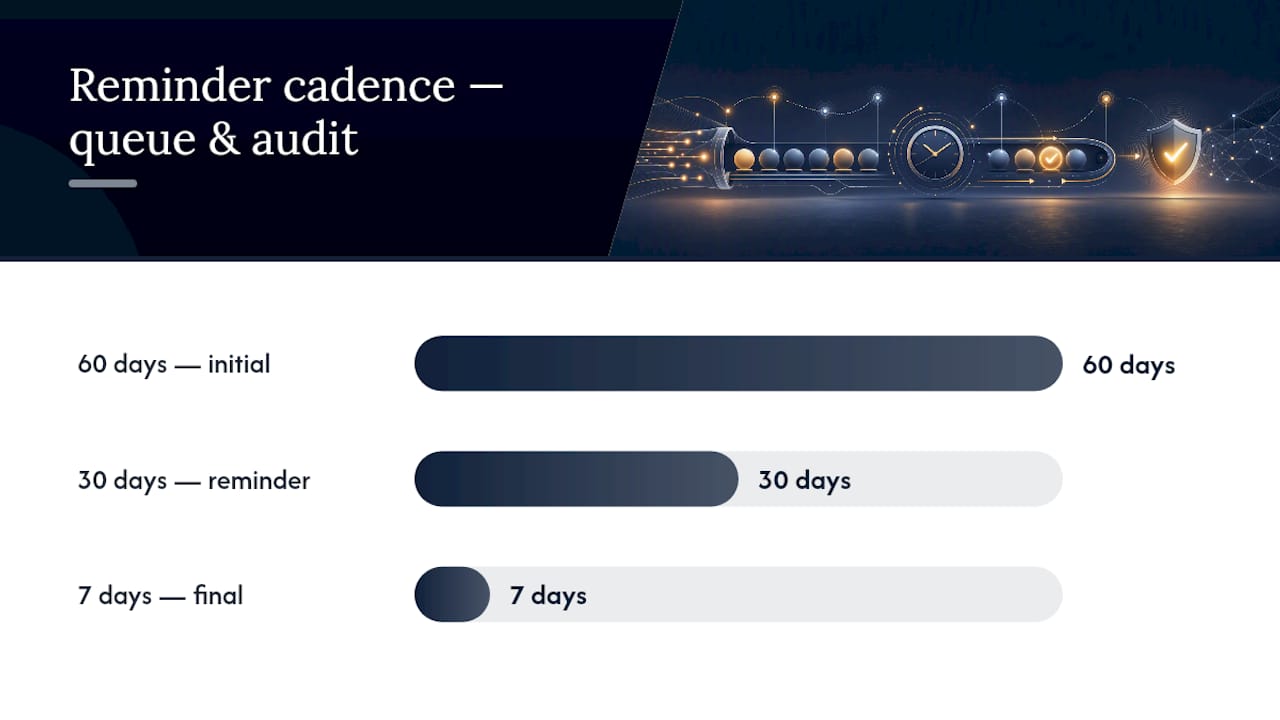
Reminder cadence is where most systems either work or fail quietly. A 60/30/7 day alert structure, sent to a system-owned queue rather than one person’s inbox, gives teams enough runway to act. Pair that with an immutable audit trail. Regulators and inspectors want proof of when a reminder fired and who acted on it, not a verbal assurance that “someone handles that.”
Role-based ownership with built-in escalation closes the biggest structural gap: what happens when the person who owned a renewal leaves the company. Centralizing this kind of tracking, the way AWS License Manager does for software licenses, gives teams the same visibility and enforcement rules for physical permits and certifications.
How Do You Move From Spreadsheets to a Centralized System?
Migrating off spreadsheets doesn’t need to take months. It needs a sequence.
- Build the full inventory first. List every permit, license, certification, and policy your business holds, with the five required fields above. Calculate each action date as expiration minus lead time. InCorp’s guidance on entity renewals recommends this exact field set as the foundation before anything else gets automated.
- Migrate documents and turn on extraction. Upload your existing PDFs and photos, let OCR or AI extraction populate expiration dates and agency names, then spot-check the results against the source documents.
- Assign owners and configure escalation. Every record needs a named owner. Set a 30-day escalation rule so a manager gets pulled in automatically if the primary owner hasn’t confirmed action.
- Set multi-tier notifications. Alerts at 60, 30, and 7 days give enough lead time for permits with long processing windows, matching the cadence recommended by BizComplianceAPI for automated permit tracking.
- Connect to operational systems. Where possible, link compliance status to dispatch or scheduling tools so a job can’t be booked at a location with a lapsed permit.
- Schedule quarterly reviews and one annual audit. Data drifts. A quarterly check catches typos and outdated owners before they become missed deadlines.
Pro Tip: Don’t try to automate everything on day one. Get the inventory and action dates right first. Reminders built on bad dates just automate confusion faster.
What Automation Patterns Keep Regulatory Updates on Track?
Event-driven monitoring beats manual checklists because it doesn’t rely on someone remembering to look. The strongest systems fire alerts automatically at configured intervals rather than waiting for a person to open a spreadsheet.
A typical structured alert, delivered as a webhook payload, includes:
- Permit metadata (name, jurisdiction, issuing agency)
- Days remaining until expiration
- A direct renewal URL when the agency offers online renewal
- A flag indicating whether the renewal requires a physical inspection
Channel choice matters more than people assume. Email creates a durable audit trail auditors and inspectors can review later. Slack (or a similar team chat tool) gives day-to-day visibility so nobody’s surprised by a deadline. Task management systems turn an alert into an assigned piece of work with a deadline, rather than a notification that gets read and forgotten.
Location-level tracking, not company-level, is non-negotiable for any business with more than one site. A restaurant chain’s health permit in one city renews on a completely different calendar than its liquor license three states over, and permits requiring inspection typically need longer lead times built into the action date. This granularity is also what turns a compliance tool into something teams actually rely on daily, rather than a system they open once a quarter out of obligation.
What Mistakes Cause Missed Renewals, and How Do You Avoid Them?
Most missed renewals trace back to a handful of repeatable mistakes, and every one of them has a straightforward fix.
- Personal calendar reminders instead of system-owned queues. A reminder tied to one person’s Outlook calendar dies the day that person changes roles or takes vacation.
- Inconsistent fields and guessed lead times. If one permit’s expiration date is stored as text and another as a date field, your action-date math breaks silently.
- No audit trail before replacing spreadsheets. Generic project management or document tools often lack the immutable logs and blocking rules regulated compliance work actually requires, which is why they tend to fail as a long-term substitute for purpose-built tracking.
- Skipping the quarterly review. Data hygiene slips fast when nobody checks it, and quarterly reviews paired with automated reminders are what keep entities in good standing over time.
Pro Tip: Run one annual audit where someone outside the day-to-day process checks every record against the source document. It catches the errors quarterly reviews miss.
Why Permitly Built a Centralized Hub for This Exact Problem
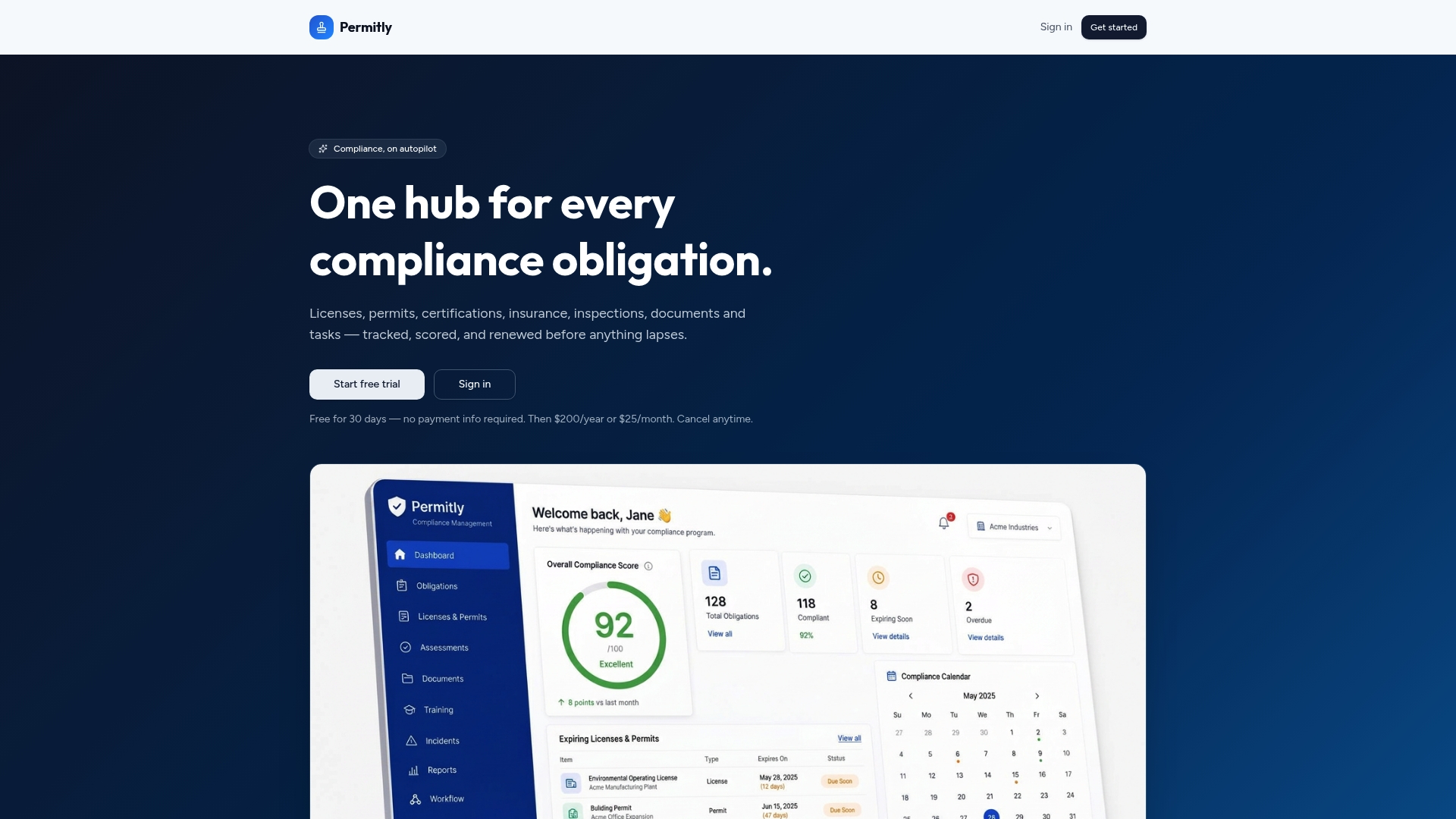
Compliance tracking breaks down for the same reason every time: it’s spread across inboxes, filing cabinets, and one person’s memory. Permitly centralizes licenses, permits, certifications, and insurance in one hub, with automated reminders, a unified calendar, and an AI assistant that answers compliance questions, generates checklists, and analyzes uploaded documents. That combination serves everyone from a single-location operator juggling a handful of permits to a multi-state enterprise managing hundreds of location-level renewals. The outcome we hear about most is simple: fewer missed renewals and far less time spent chasing paperwork.
— Marat
Get Your Compliance Calendar Under Control
This platform is the alternative to the spreadsheet-and-sticky-note system most businesses default to, built specifically so you stop finding out about an expired permit from an inspector instead of a reminder. It centralizes licenses, permits, certifications, and policies in one calendar, extracts key dates automatically from uploaded documents, and routes renewals to the appropriate owner before they become emergencies.
If your current tracking method is a shared spreadsheet or a stack of folders, the fastest way to see the difference is to try it on your own inventory. Start a free 30-day trial and load in your current permits, or download an inventory template to map out your fields before you migrate anything. Either way, you’ll know within a week whether centralized tracking catches something your current system missed.